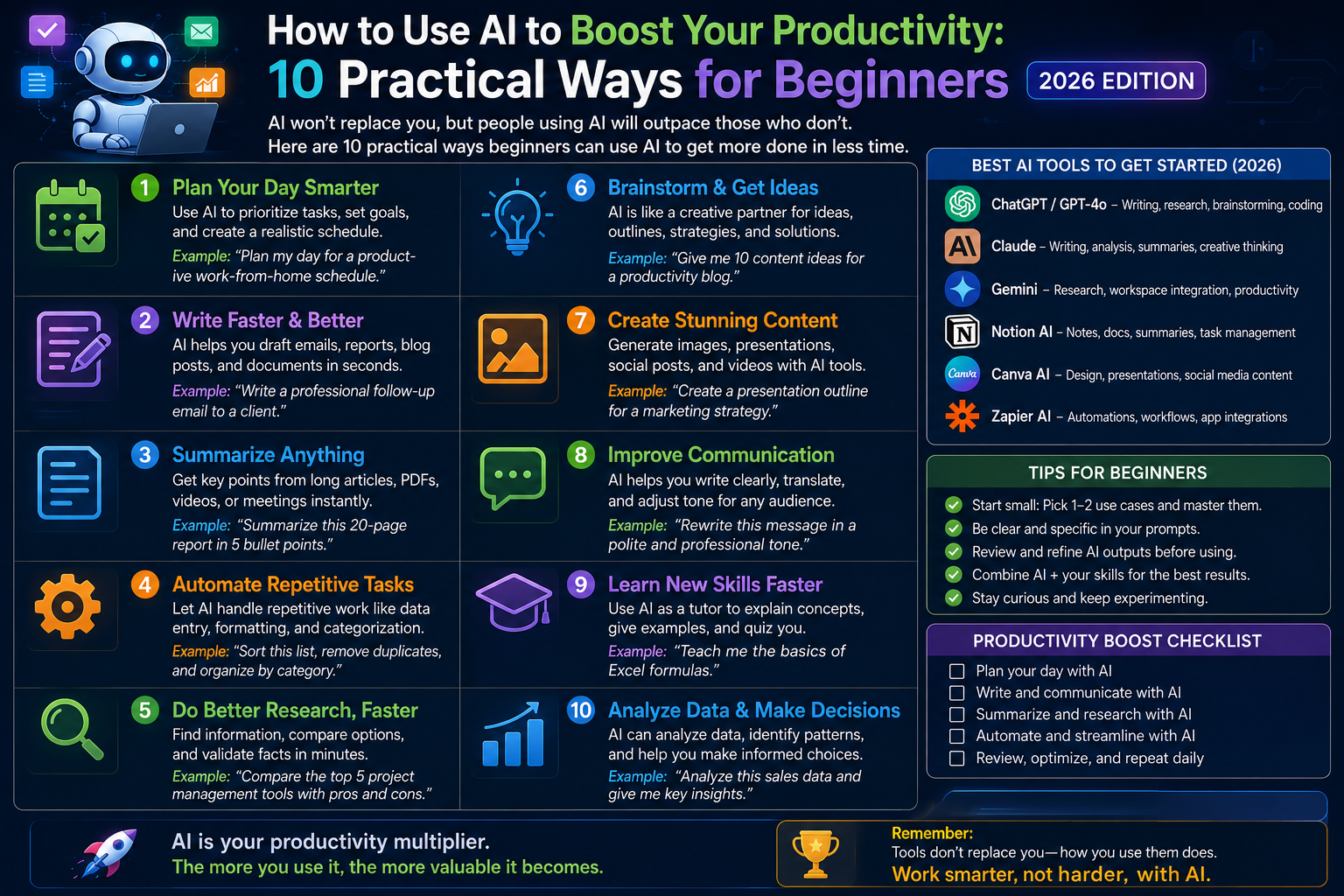
10 Actionable Ways Beginners Can Master AI Productivity in 2026
Artificial Intelligence is no longer a futuristic concept confined to tech research labs. In 2026, AI has become one of the most accessible and transformative productivity tools available to everyday professionals, students, freelancers, and entrepreneurs.
The biggest shift in 2026 isn’t just that AI models have gotten smarter—it’s that they have become dramatically easier to use. You no longer need programming skills, data science backgrounds, or complex technical expertise to harness their power. With basic natural language prompts, anyone with an internet connection can reclaim 10 to 20 hours every week.
This practical guide breaks down 10 real-world, actionable ways you can integrate AI into your daily routine right now to work smarter, eliminate repetitive tasks, and elevate the quality of your output.
1. Intelligent Task Scheduling & Project Breakdown
Traditional to-do lists are passive—they tell you what needs to be done, but they don’t help you figure out when or how to execute those tasks effectively. AI acts as an active scheduling assistant that turns chaotic task lists into realistic, energy-aware daily timetables.
How to Implement It
Instead of staring at a daunting list of 15 unstructured tasks, feed your entire workload into a conversational model (like Claude or ChatGPT) along with your energy preferences.
Copy-Paste Prompt Template:
“Act as an executive project planner. Here is my task list for today: [Insert tasks]. I have 6 hours of focused work time, and my energy peaks between 9:00 AM and 11:30 AM. Group these tasks by cognitive load, assign realistic time blocks, and build a prioritized schedule with built-in rest breaks.”
Key Benefit
-
Reduces Cognitive Friction: Eliminates decision fatigue at the start of the workday.
-
Deconstructs Massive Projects: Ask the AI to break a vague goal (“Build a pitch deck”) into 5 incremental, micro-steps.
2. High-Speed Research & Source-Verified Synthesis
Searching the web used to mean opening 20 browser tabs, scanning through ad-cluttered articles, and piecing together information manually. Modern AI engines pull direct answers from live sources in seconds.
How to Implement It
Use search-focused AI platforms like Perplexity AI or Google Gemini for instant research with verified citations.
-
Market Research: “Summarize the current market trends in renewable energy storage for 2026. Provide key data points, recent breakthroughs, and cite primary sources.”
-
Comparative Analysis: “Compare the features, pricing tiers, and hardware requirements of [Product A] versus [Product B] in a side-by-side comparison table.”
┌─────────────────────────────────────────────────────────────────────────────┐
│                        RESEARCH EFFICIENCY COMPARISON                       │
├─────────────────────────────────────────────────────────────────────────────┤
│  TRADITIONAL SEARCH:  Query ──> 20 Open Tabs ──> Manual Scan ──> 2 Hours    │
│  AI-ASSISTED SEARCH:  Query ──> Synthesized Report + Citations ──> 5 Mins   │
└─────────────────────────────────────────────────────────────────────────────┘
3. Accelerated Content Drafting & Editing
Whether you are writing a quarterly business report, a client email, or a LinkedIn post, starting with a blank page is the slowest way to work. AI serves as a “first-draft engine” that eliminates writer’s block.
Practical Workflow
-
Outline First: Ask the AI to generate three distinct structural outlines for your document.
-
Draft Key Sections: Provide bullet points of your core arguments and let the AI draft initial prose.
-
Refine Tone & Style: Instruct the AI to edit your rough thoughts for clarity, brevity, or professional polish.
Pro Tip: Never publish unedited raw AI output. Use the AI to generate the first 70% of the work, then spend your time refining, fact-checking, and adding your personal human touch for the remaining 30%.
4. Automated Meeting Transcripts & Action Item Extraction
Attending long meetings while simultaneously taking detailed notes often leads to missing crucial discussion points. AI tools can now listen, transcribe, and pull key decisions out of meetings automatically.
How to Implement It
Paste raw meeting transcripts or rough handwritten notes into an AI model and ask for a structured post-meeting summary.
Plaintext
Prompt:
"Analyze the attached raw meeting transcript and extract:
1. Executive Summary (3-4 sentences)
2. Core Decisions Made
3. Action Items formatted as a table with columns: [Action Item | Owner | Target Deadline]"
This simple habit ensures team accountability while saving hours of manual administrative documentation every week.
5. Personalized Tutoring & Accelerated Skill Acquisition
Need to learn a complex topic quickly for a new work project? AI acts as an on-demand, infinitely patient tutor that tailors explanations to your exact comprehension level.
[ Complex Technical Concept ] ──> AI Tutor ──> [ Simple Analogy + Custom Practice Exercises ]
3 High-Impact Learning Prompts
-
The Analogy Approach: “Explain the core principles of supply chain economics using a simple analogy involving a local bakery.”
-
The Adaptive Roadmap: “Create a structured 14-day study curriculum for a beginner wanting to learn basic SQL for data analysis. Include daily 20-minute exercises.”
-
Self-Testing: “Quiz me on basic project management principles. Ask me one scenario-based question at a time, wait for my answer, and provide constructive feedback before moving to the next question.”
6. Inbox Zero & Communication Streamlining
Email management remains one of the largest time sinks in modern professional life. AI can serve as a communication triage assistant to help you reach “Inbox Zero” in half the time.
Practical Uses
-
Executive Summarization: Paste a long, multi-reply email chain and ask: “What is the sender asking me to do, and what are the main points I need to know?”
-
Tone Adjustment: Draft a quick, blunt reply and ask: “Rewrite this response to sound polite, professional, and firm while maintaining a collaborative tone.”
-
Template Generation: Build a library of reusable AI prompts for common client inquiries, refund requests, or meeting rescheduling tasks.
7. Creative Brainstorming & Idea Diversification
When you’re stuck in a creative rut, humans tend to suffer from confirmation bias—relying on familiar patterns and safe ideas. AI can generate hundreds of creative angles across diverse categories in seconds.
High-Yield Brainstorming Prompts
-
Angle Generation: “Give me 10 unconventional marketing campaign concepts for a local coffee shop launching a cold brew subscription service.”
-
Roleplay Feedback: “I am launching a new freelance service. Act as a skeptical potential enterprise client. Challenge my offer and ask me 5 difficult questions about value and ROI.”
8. Accessible Data Analysis for Non-Technical Users
You no longer need to be an Excel formula wizard or Python developer to extract meaningful insights from spreadsheets and business data.
How to Implement It
Upload a .csv or raw data table into tools like ChatGPT or Claude and use simple language to analyze trends:
-
“What are the top 3 best-selling product categories in this dataset over the last 6 months?”
-
“Identify any unusual spending spikes or anomalies in this monthly budget summary.”
-
“Format this unorganized survey text into a clean table categorized by positive, neutral, and negative sentiment.”
9. Repetitive Workflow & Social Media Automation
Every job contains micro-repetitive tasks that drain time and energy—formatting text, translating documents, or turning one piece of content into multiple formats.
Examples of Automation Workflows
-
Content Repurposing: Turn a 1,000-word blog post into a 5-bullet newsletter summary, a 280-character social media post, and an executive outline.
-
Formula Creation: Describe what you want to calculate in plain English (“I need a spreadsheet formula that highlights rows where Column C is older than 30 days”), and let the AI write the exact Excel/Google Sheets formula.
10. Configuring a Personalized Daily AI Assistant
Instead of treating AI like a generic search bar, configure its settings so it understands your specific role, communication style, and long-term goals.
Setting Up System Instructions / Custom Context
Most major AI tools allow you to save Custom Instructions. Include these three elements:
Your Role & Context: “I am a marketing coordinator at a mid-sized software company.”
Your Preferred Output Format: “Keep responses concise, bulleted, and actionable. Avoid unnecessary fluff or conversational introductions.”
Your Style Constraints: “Use clear, professional language suitable for an executive audience.”
Comparing the Best Free AI Platforms in 2026
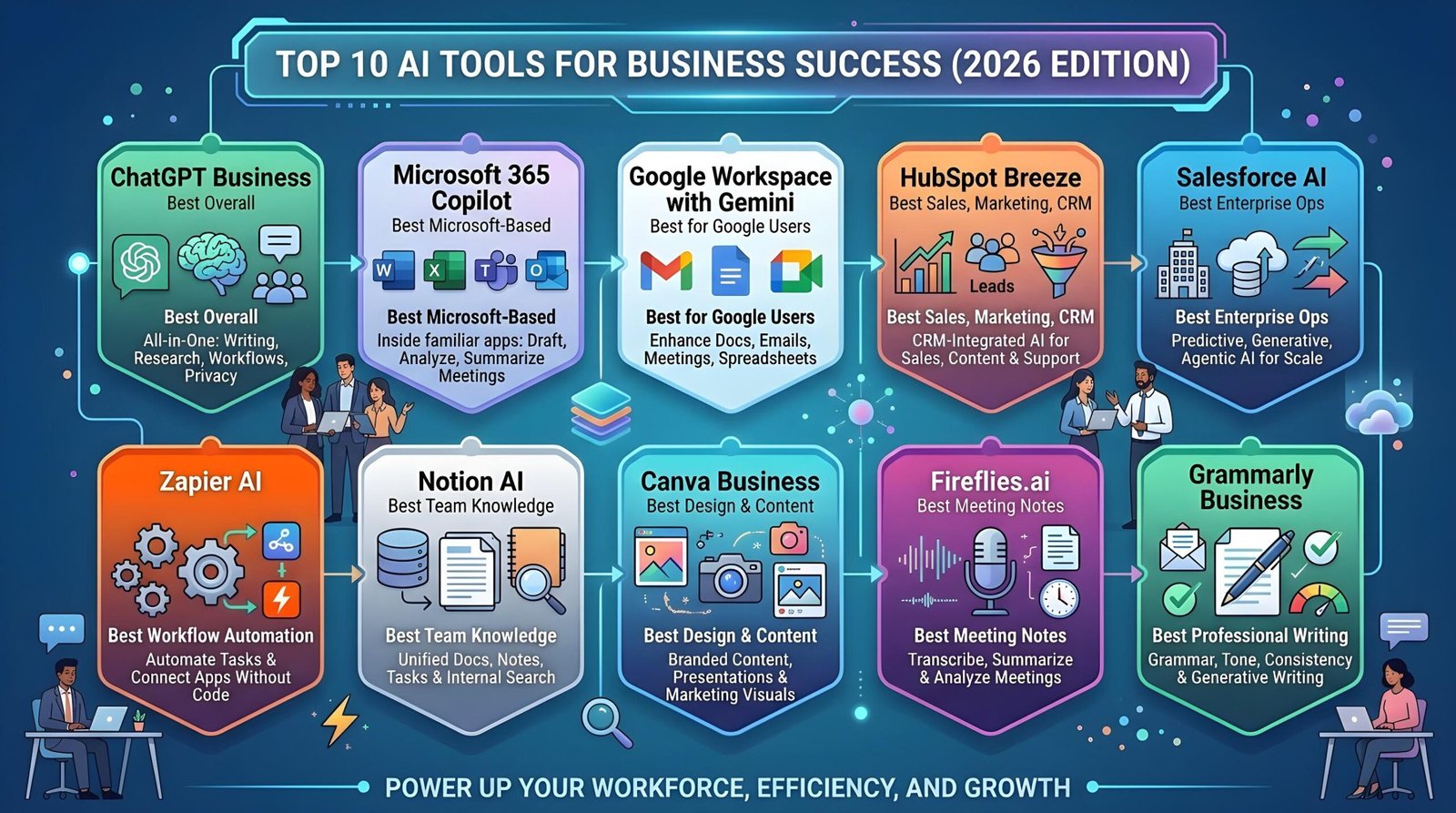
To maximize your efficiency, match the right AI tool to the task at hand:
| AI Platform | Primary Strength | Ideal Use Case |
| Claude | Deep reasoning & prose quality | Long-form drafting, complex analysis, nuanced editing |
| ChatGPT | All-rounder versatility & data tools | Daily problem solving, data analysis, general automation |
| Perplexity AI | Live search & cited research | Fact-checking, market research, sourcing news |
| Google Gemini | Google Workspace integration & video | Summarizing YouTube videos, analyzing Google Drive docs |
How to Build Your Daily AI Productivity System
Key Takeaways
-
AI is a Multiplier, Not a Replacement: The goal of AI productivity isn’t to automate human thought—it’s to remove repetitive administrative friction so you can focus on high-value creative and strategic work.
-
Start Small: Don’t attempt to implement all 10 strategies at once. Choose 2 or 3 workflows from this guide and make them a daily habit before expanding.
-
Prompt Specificity Matters: The quality of AI output directly mirrors the clarity of your input. Provide explicit context, define roles, and specify the exact format you want.