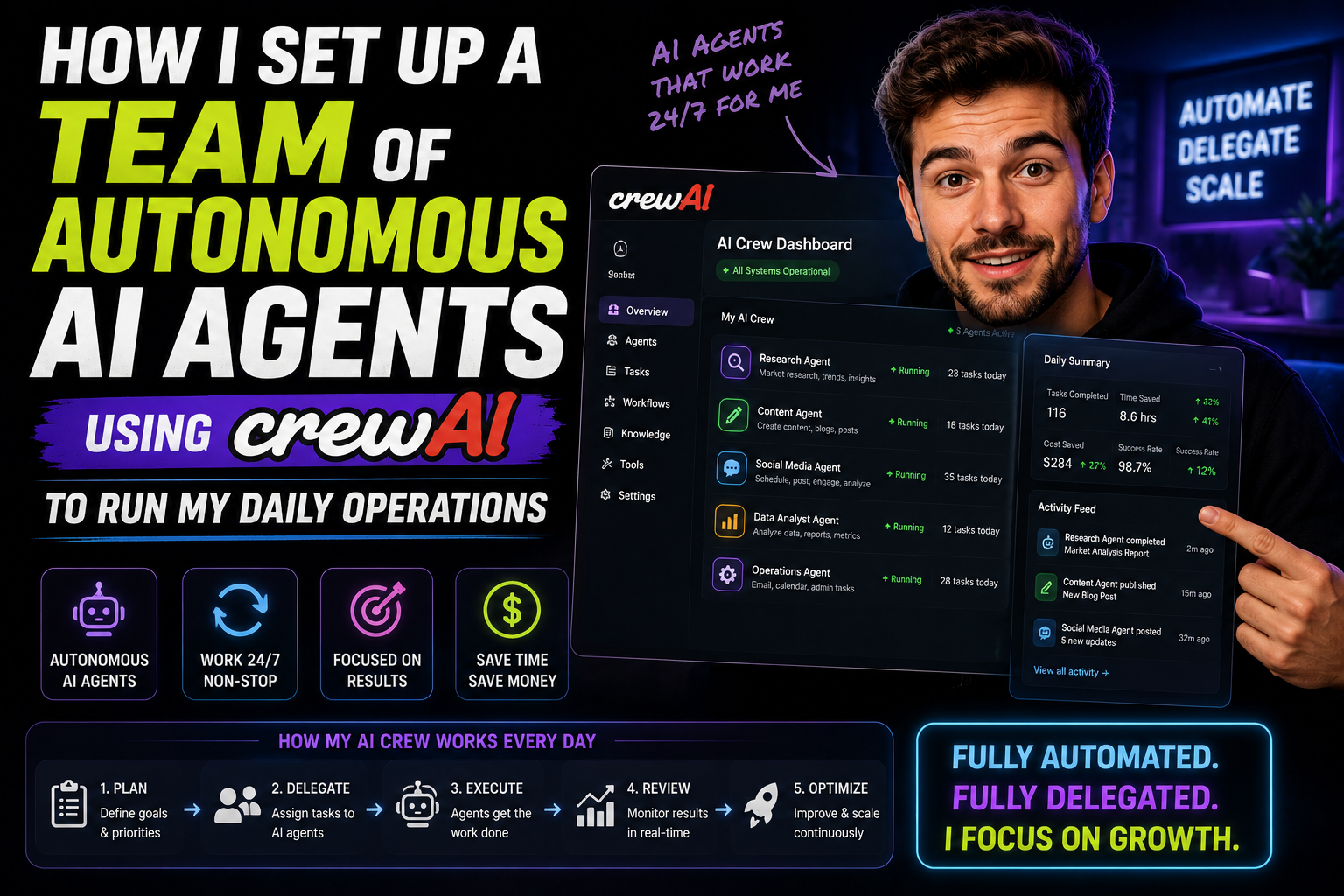
The Solo Founder’s Bottleneck
As a creator and digital operator managing multiple web properties, technical projects, and content pipelines, my biggest daily constraint has never been a lack of ideas—it has been a lack of operational bandwidth.
For a long time, standard Large Language Models (LLMs) like ChatGPT or Claude served as helpful assistants. However, relying on a single chat window still meant I had to act as the primary operational bottleneck. I had to manually write the prompt, evaluate the output, copy-paste data between tools, rewrite code snippets, and coordinate every single step of a workflow.
If I wanted to conduct deep competitive research, write an optimized technical brief, verify code integrity, and generate an executive summary, I was still spending hours acting as the human middleware between disconnected AI chats.
That operational bottleneck vanished when I migrated my workflow to CrewAI—an open-source multi-agent orchestration framework built in Python.
Rather than relying on one generalist chatbot, CrewAI allowed me to build a virtual team of specialized autonomous AI agents. Each agent possesses a distinct role, a detailed backstory, specific tools (such as web search engines, scrapers, and local code executors), and clear task boundaries.
Here is how I engineered my autonomous operational crew, the code underlying the system, and how it handles my daily workflow on total autopilot.

Why CrewAI? Role-Based Agent Orchestration Explained
Most single-agent loops fail when tasked with long, complex workflows. If you ask a single prompt to “research market trends, draft an SEO article, check the technical code snippets, and format a newsletter,” the model suffers from context dilution. It rushes through research, generates superficial content, and overlooks technical errors.
CrewAI approaches automation through an organizational hierarchy:
┌─────────────────────────────────────────────────────────────────────────────┐
│                          THE AUTONOMOUS CREW PIPELINE                       │
├─────────────────────────────────────────────────────────────────────────────┤
│  [ Lead Researcher ] ──(Raw Data)──> [ Content Strategist ]                 │
│                                                │                            │
│                                           (Draft Specs)                     │
│                                                ▼                            │
│  [ Ops Manager ]   ◄──(Final Report)── [ Code/Tech Specialist ]             │
└─────────────────────────────────────────────────────────────────────────────┘
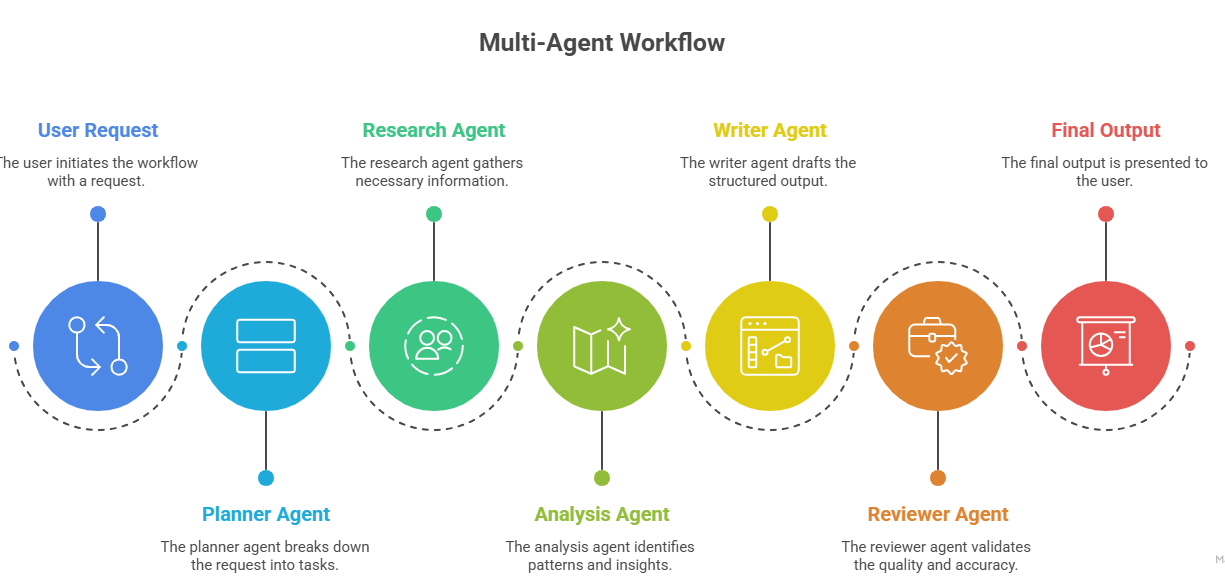
By decoupling responsibilities into role-playing agents, each agent stays locked inside its specific domain expertise. When an agent finishes its task, it passes structured output to the next specialist down the line—just like a human agency or software engineering team.
Step 1: Designing the Autonomous Operations Team
To automate my daily monitoring, research, and technical synthesis, I designed a 4-agent virtual task force:
1. The Lead Market & Tech Researcher
-
Role: Senior Technical Intelligence Analyst
-
Goal: Scour the web for emerging market trends, architectural patterns, and breaking news within specified domains.
-
Tools:
SerperDevTool(Google Search API), Web Scraper, Directory Parser.
2. The Content & SEO Strategist
-
Role: Lead Digital Growth Editor
-
Goal: Synthesize raw research data into structured, reader-friendly, and SEO-optimized articles, strategy briefs, and newsletter updates.
-
Tools: Native Markdown Formatter, Keyword Density Analyzer.
3. The Technical Auditor & Code Reviewer
-
Role: Senior Full-Stack Engineer
-
Goal: Audit code snippets, verify API integration paths, and check structural validity to ensure technical tutorials are 100% functional.
-
Tools: Code Execution Sandbox, File Reader/Writer.
4. The Executive Operations Manager
-
Role: Chief Operating Officer
-
Goal: Quality-check outputs from all agents, eliminate duplicate information, format final deliverables, and route executive reports to my inbox.
-
Tools: File System Output Manager, Webhook Dispatcher.
Step 2: Technical Implementation & Code Architecture
Building a crew in CrewAI involves configuring your agents and tasks, then executing them inside a Python pipeline.
Below is the production-ready code blueprint I used to scaffold my autonomous operational crew.
Project Setup and Dependencies
Bash
# Initialize project environment
pip install crewai crewai-tools langchain-openai
The Crew Architecture Script (app.py)
Python
import os
from crewai import Agent, Task, Crew, Process
from crewai_tools import SerperDevTool, ScrapeWebsiteTool

# 1. Environment Configuration
os.environ["OPENAI_API_KEY"] = "your-openai-api-key"
os.environ["SERPER_API_KEY"] = "your-serper-api-key"

# Instantiate shared tools
search_tool = SerperDevTool()
scrape_tool = ScrapeWebsiteTool()

# 2. Define Autonomous Agents

researcher = Agent(
    role="Senior Market & Tech Researcher",
    goal="Uncover cutting-edge developments in software, digital marketing, and AI tools.",
    backstory="""You are a veteran technical researcher with a knack for identifying emerging trends
    before they go mainstream. You dig deep into technical specs, release notes, and real-world performance benchmarks.""",
    tools=[search_tool, scrape_tool],
    verbose=True,
    allow_delegation=False
)

strategist = Agent(
    role="Lead Digital Growth Editor",
    goal="Transform raw research findings into actionable, engaging, and structured reports.",
    backstory="""You are an expert digital editor with a deep understanding of content architecture,
    readability, and SEO performance. You turn dense data into polished, high-converting copy.""",
    verbose=True,
    allow_delegation=False
)

tech_auditor = Agent(
    role="Senior Code Auditor",
    goal="Verify technical claims and ensure all code examples adhere to production standards.",
    backstory="""You are a strict principal software engineer. You check every technical claim, verify
    syntax accuracy, and ensure logical integrity across all system architecture explanations.""",
    allow_code_execution=True,
    verbose=True
)

ops_manager = Agent(
    role="Executive Operations Synthesizer",
    goal="Consolidate team outputs into a cohesive executive brief and export markdown deliverables.",
    backstory="""You are an elite chief of staff. You review all team inputs, strip out fluff, enforce strict
    formatting rules, and assemble the final master report.""",
    verbose=True
)

# 3. Define Sequential Tasks

research_task = Task(
    description="""Conduct deep research on the latest developments in AI workflow automation and web technologies over the past month.
    Identify top 3 breakthroughs, key tools involved, and practical implementation hurdles.""",
    expected_output="A comprehensive bulleted summary of top 3 technical breakthroughs with source links and performance metrics.",
    agent=researcher
)

draft_task = Task(
    description="""Take the raw research findings and draft a high-converting, 1,000-word executive report.
    Structure the report with clear Markdown headers (H2, H3), key takeaway tables, and actionable insights.""",
    expected_output="A complete, well-structured Markdown document analyzing the research data.",
    agent=strategist
)

audit_task = Task(
    description="""Review the drafted executive report. Validate all code snippets, technical terminology, and architectural claims.
    Fix any logical fallacies or outdated code patterns.""",
    expected_output="An audited, technical-proofed draft with verified code blocks and architectural accuracy.",
    agent=tech_auditor
)

final_assembly_task = Task(
    description="""Format the audited content into a polished master brief. Ensure tone consistency, add an executive summary at the top,
    and save the output to 'daily_ops_report.md'.""",
    expected_output="A publication-ready markdown file saved locally as daily_ops_report.md.",
    agent=ops_manager,
    output_file="daily_ops_report.md"
)

# 4. Instantiate and Kickoff the Crew

ops_crew = Crew(
    agents=[researcher, strategist, tech_auditor, ops_manager],
    tasks=[research_task, draft_task, audit_task, final_assembly_task],
    process=Process.sequential,  # Agents execute step-by-step
    verbose=True
)

if __name__ == "__main__":
    print("### STARTING AUTONOMOUS OPERATIONS CREW ###")
    result = ops_crew.kickoff()
    print("\n### WORKFLOW COMPLETED SUCCESSFULLY ###")
    print(result)
Step 3: How the Autonomous Workflow Runs Daily
Once deployed—either on a local machine via a simple cron job or on a cloud instance—the crew operates entirely without human intervention:
-
Trigger: Every morning at 6:00 AM, the script executes automatically.
-
Phase 1 (Discovery): The Researcher queries web engines for emerging topics, scrapes targeted release notes, and extracts raw data.
-
Phase 2 (Structuring): The Strategist takes the researcher’s output and formats a structured draft complete with tables, section breaks, and readable takeaways.
-
Phase 3 (Validation): The Code Auditor checks the draft, verifies syntax, and ensures all technical descriptions hold up to scrutiny.
-
Phase 4 (Final Assembly): The Ops Manager packages the final markdown file, generates an executive summary, and writes the output directly to my project workspace (
daily_ops_report.md).
When I sit down at my desk at 8:00 AM, a complete, multi-page, fact-checked operational report is already waiting for me.
Performance Impact: Before vs. After Autonomous Crews
Key Best Practices and Guardrails
While CrewAI is incredibly powerful out of the box, running autonomous agents without proper guardrails can lead to API cost overruns or recursive execution loops. Here are four rules I strictly enforce in my production setup:
1. Enforce Explicit
expected_outputDefinitions:Never give a task an ambiguous description like “Write a good report.” Always provide exact structural criteria (e.g., “A 500-word report formatted in Markdown containing an executive summary, a 3-column table, and no code block indicators around prose”).
2. Cap Agent Iterations:
Prevent runaway execution loops by setting iteration limits (
max_iter=5) on agents that utilize external web tools or code execution engines.
3. Match Models to Roles:
You don’t need expensive frontier reasoning models for every task. Use lightweight models for simple summarization tasks, reserving high-reasoning models strictly for the Code Auditor and Lead Researcher roles.
4. Keep Keys Secure:
Never hardcode API credentials directly in your script files. Use a secure
.envfile management strategy to safeguard your API keys across development environments.
Final Thoughts: The One-Person AI Enterprise
Building an autonomous team using CrewAI fundamentally changed my mental model of productivity. The goal of AI integration is not just writing text faster—it is shifting your role from manual worker to executive director.
By configuring specialized autonomous agents with clear roles, backstories, and dedicated tools, you can delegate heavy operational lifts to a virtual team that works 24/7.
If you are looking to reclaim your time and scale your operations without expanding headcounts, scaffold your first CrewAI agent network today and let autonomous code run your daily workflow.