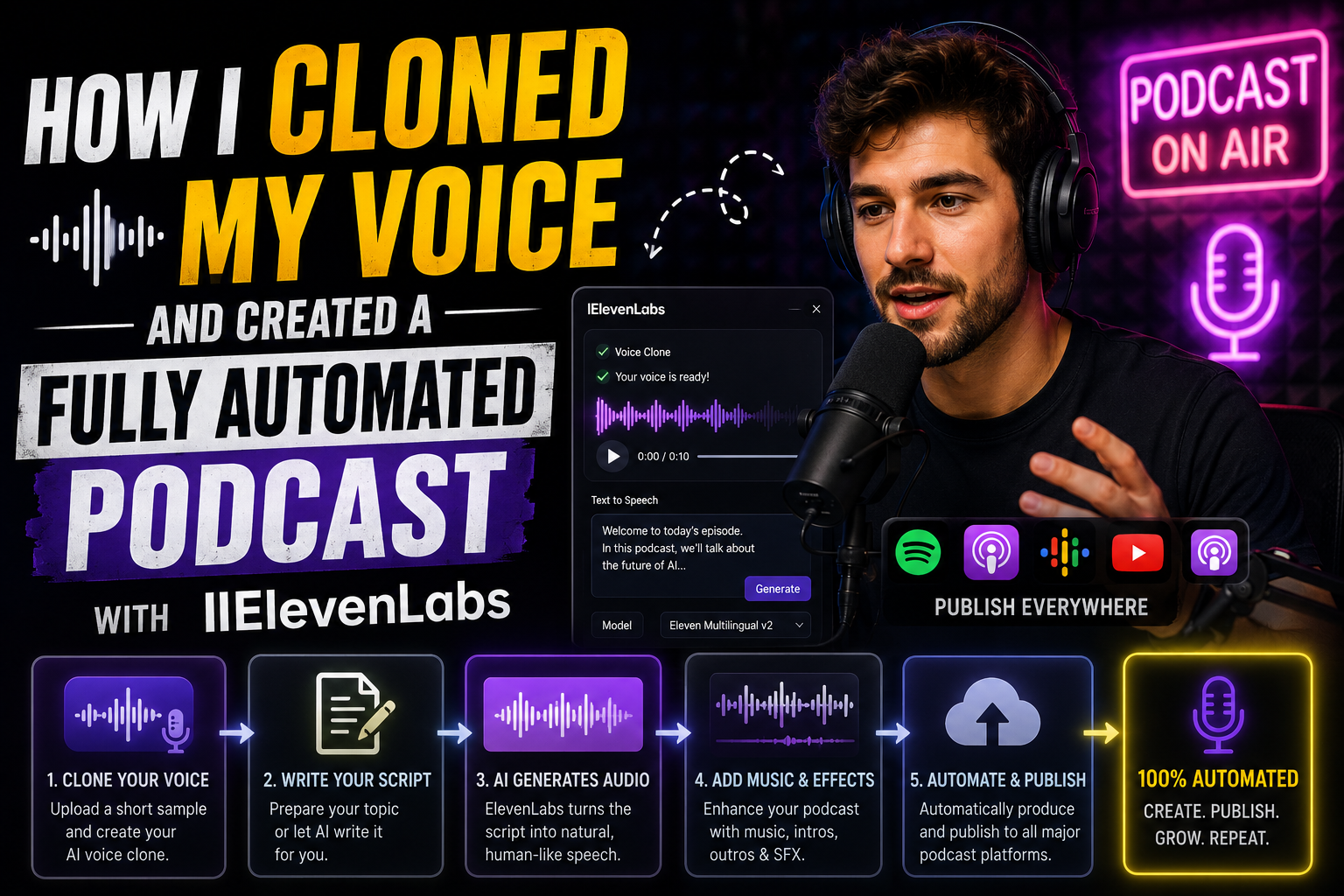
Introduction: The Podcaster’s Time Dilemma
Every content creator loves the concept of hosting a weekly podcast. It builds unmatched intimacy with an audience, establishes domain authority, and opens up lucrative monetization avenues. But anyone who has ever hosted a solo show knows the grueling reality of traditional podcast production:
-
Setting up studio mics and checking gain levels.
-
Re-recording takes after stumbling over tongue-twisters.
-
Spending hours in a Digital Audio Workstation (DAW) cutting out “ums,” “ahs,” long pauses, and mouth clicks.
-
Mastering audio files to hit precise LUFS loudness targets.
For years, I found myself stuck in this exact production bottleneck. I had endless ideas and research briefs ready to share, but finding three to four hours every week just to record and edit audio was unsustainable.
When generative voice technology matured, I set out to build a modern solution: a completely automated podcast pipeline powered by a hyper-realistic clone of my own voice using ElevenLabs.
By marrying structured script automation with ElevenLabs’ Professional Voice Cloning (PVC) engine, I created a production workflow where I can convert written research, essays, or blog posts into a polished, studio-quality audio episode in minutes—without ever sitting in front of a microphone.
Here is the exact blueprint of how I engineered this system from the ground up.
Step 1: Instant Voice Cloning vs. Professional Voice Cloning (PVC)
When setting out to clone your voice on ElevenLabs, you are faced with two distinct technical paths: Instant Voice Cloning (IVC) and Professional Voice Cloning (PVC). Understanding the difference is critical if your goal is long-form podcasting.
Instant Voice Cloning (1-3 min audio) ──> Great for short clips / testing ──> Can drift in long-form delivery
Professional Voice Cloning (30m-3h audio) ──> Fine-tuned Deep Model ──> Hyper-realistic long-form stability
-
Instant Voice Cloning (IVC): Requires only 1 to 3 minutes of reference audio. It works surprisingly well for short voiceovers or rapid prototyping, but in long-form speech (like a 15-minute podcast episode), the voice can occasionally lose cadence stability, flatten out emotionally, or produce slight vocal artifacts.
-
Professional Voice Cloning (PVC): Requires a minimum of 30 minutes of clean, high-fidelity audio samples (with 2 to 3 hours being the optimal sweet spot). ElevenLabs feeds these samples into a dedicated neural network training process that maps your specific vocal timbres, accent nuances, breathing habits, and dynamic emotional range.
Because I intended to use my voice clone for long-form episodes, I opted for Professional Voice Cloning.
Preparing the Master Training Dataset
To ensure my AI clone sounded indistinguishable from my real voice, I established strict recording protocols:
-
Acoustic Environment: I recorded in a quiet room with soft furnishings to eliminate wall reflections, room echo, and ambient background HVAC noise.
-
Hardware: I used a cardiod condenser microphone paired with a pop filter, maintaining a consistent distance of roughly two fists away from the capsule.
-
Format Specs: I recorded uncompressed 24-bit, 44.1kHz WAV files to preserve full frequency warmth.
-
Delivery Variety: Instead of reading a single dry script in a monotone voice, I recorded a mix of conversational stories, technical breakdowns, energetic intros, and casual commentary. Giving the model a wide dynamic range during training is what prevents the final AI output from sounding robotic.
Step 2: Training, Verification, and Parameter Tuning
Once my audio dataset was recorded and cleaned in Audacity to strip out silent gaps, I uploaded the files to the ElevenLabs platform under the Professional Voice Cloning dashboard.
Passing Security Verification
Because voice cloning technology is powerful, security safeguards are vital. Before ElevenLabs initiates model training, you must complete a Voice Captcha verification. The platform prompts you to read a randomized text snippet live on your microphone to verify that your live voice matches the uploaded training samples. This ensures unauthorized third parties cannot clone your voice without consent.
Fine-Tuning Voice Settings for Natural Speech
Once training completed (which typically takes a few hours), I loaded my custom voice model into the ElevenLabs workspace. Achieving natural podcast delivery requires fine-tuning four core slider parameters:
-
Stability (
0.50–0.60): Setting stability too high makes the voice sound overly consistent and monotone. Lowering it slightly allows natural inflections, pitch variations, and human-like expression to emerge. -
Clarity / Similarity Enhancement (
0.75–0.85): High clarity ensures sharp character geometry, but pushing it to1.0can introduce harsh digital artifacts. Keep it balanced. -
Style Exaggeration (
0.00–0.15): For factual, informative podcasting, keep style exaggeration low. Higher values push the model to dramatically exaggerate emotion, which can cause erratic delivery. -
Speaker Boost (
Enabled): Boosts vocal presence and clarity, ensuring the voice sits cleanly in the front of an audio mix.
Step 3: Architecting the Fully Automated Pipeline
With my digital twin voice locked in, I built an automated end-to-end production pipeline. The goal was simple: input a raw topic or draft outline, and output a distribution-ready master audio file.
[ Written Draft / Brief ] ──> [ Script Refinement (LLM) ] ──> [ ElevenLabs API Generation ] ──> [ Post-Processing / Audio Bed ] ──> [ RSS Distribution ]
1. Script Generation & Formatting
A written article does not always read well out loud. Spoken language requires shorter sentences, conversational transitions, and active verbs. I use a tailored text prompt with a Large Language Model (LLM) to convert written research into a spoken podcast script, complete with natural pause markers:
“Rewrite the following article into a conversational, single-host podcast script. Use an engaging, authoritative, yet casual tone. Break long sentences into natural spoken cadences and add em-dashes (
—) or ellipsis (...) where a speaker would naturally pause for emphasis.”

2. Automated Generation via Python & ElevenLabs API
To make the process effortless, I wrote a light Python script that sends the finalized script directly to the ElevenLabs Text-to-Speech API using the Eleven Multilingual engine, receiving a pristine audio stream in return.
Python
import os
from elevenlabs.client import ElevenLabs

# Initialize the ElevenLabs Client
client = ElevenLabs(api_key=os.environ.get("ELEVENLABS_API_KEY"))

# Script text prepared for generation
script_text = """
Welcome back to the channel. Today, we are breaking down the exact blueprint
I used to automate my entire audio workflow... without losing authentic human voice quality.
Let's dive right in.
"""

# Generate audio stream using the custom cloned Voice ID
audio = client.text_to_speech.convert(
    voice_id="YOUR_CUSTOM_VOICE_ID",
    text=script_text,
    model_id="eleven_multilingual_v2",
    output_format="mp3_44100_128"
)

# Save the generated audio file
with open("podcast_episode_master.mp3", "wb") as f:
    for chunk in audio:
        f.write(chunk)

print("Episode audio successfully generated!")
Step 4: Post-Production Polish & Avoiding the “Uncanny Valley”
While ElevenLabs delivers astonishing vocal realism, raw Text-to-Speech output still needs minor audio engineering to sound like a finished, high-budget broadcast.
Punctuation Hacking for Spoken Rhythm
You can actively direct your voice clone’s pacing using strategic punctuation:
-
Ellipses (
...): Forces a soft, half-second breather. -
Em-Dashes (
—): Introduces a dramatic pause before delivering a key point. -
All-Caps (
EXACTLY): Signals subtle stress or emphasis on a specific keyword.
Layering Soundscapes & Music Beds
A completely dry voice file in absolute silence can sound artificial during long pauses. To ground the audio in reality:
-
Background Ambient Bed: I layer a subtle, low-volume ambient music track (
-24dBto-28dBbelow the vocal track). This fills silence gaps and hides micro-pauses between sentences. -
Intro/Outro Stings: Using pre-rendered audio templates, the voice generation automatically stitches into branded intro and outro music cues.
-
Loudness Normalization: The final mixed track is processed through a limiter to ensure it meets standard podcast distribution targets (-16 LUFS for stereo podcasts).
Traditional Podcasting vs. My Automated AI Pipeline
By transitioning from manual recording to an automated voice-cloning workflow, the efficiency gains were immediate:
Key Takeaways for Creators
Building an automated podcast powered by an AI voice clone isn’t about removing human authenticity—it is about removing production friction. The creative thinking, research, and script direction still come entirely from my own mind; ElevenLabs simply acts as an infinitely patient, perfectly tuned vocal instrument.
If you are looking to scale your audio content without burning out, keep these principles in mind:
-
Invest in the master dataset: Your clone is only as good as the audio you feed it. Take the time to record high-quality PVC samples in a silent room.
-
Write for the ear, not the eye: Format your AI scripts with spoken rhythm, short sentences, and emotional punctuation.
-
Balance stability sliders: Keep stability around
0.55to allow natural human inflection to shine through. -
Use music beds: A soft background track eliminates sterile silence and ties the final mix together seamlessly.
By treating AI voice cloning as a production workflow tool rather than a novelty, you can deliver consistent, professional audio content week after week on total autopilot.